
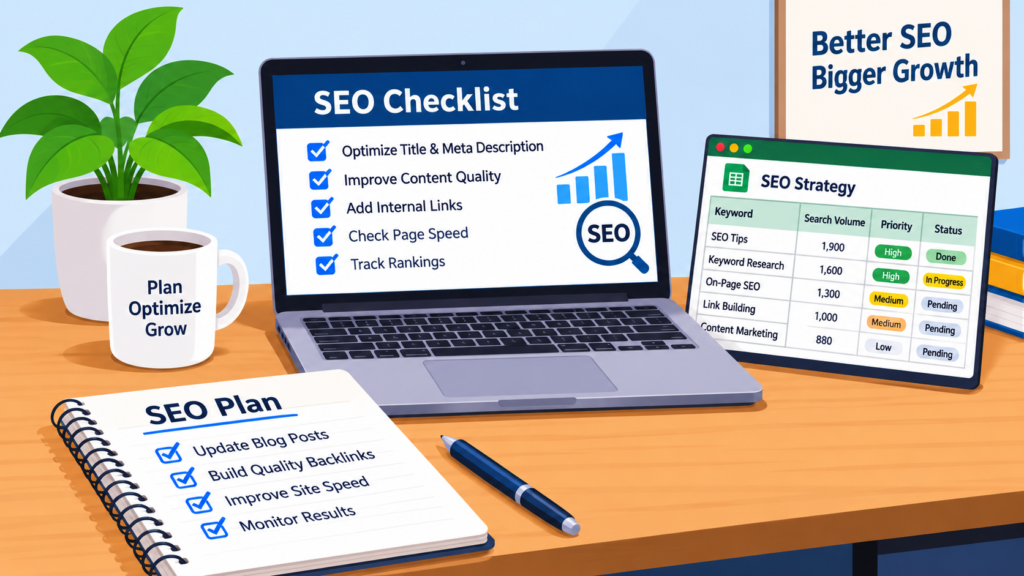
SEO isn’t about one big trick; it is about doing many small things right. SEO templates can help you by giving you a process. With guides and checklists, SEO templates will help you transform a messy list into a repeatable process.
Benefits of Using SEO Templates, Guides & Checklists
From my experience, I know that on one website I focused heavily on keyword research and optimising my content. However, I did not focus on linking and meta descriptions. Although my content was great, the lack of links on key pages made my content look like a mess to the search engines.
In this post, I will show you the templates I use and how I use them. When they can let you down.
Essential SEO Templates for Better Website Optimization
There are a lot of steps involved in SEO. If you rely on memory, you will miss something. By using a set of SEO templates, you will be able to:
- Have a clear process to follow for every project.
- Keep consistency across all your pages and websites.
- Save time because you will never start from a document.
- Track your progress easily.
- Reduce the chance of missing anything.
For example, I had a website where we were not consistent with keywords, meta descriptions, image alt text, and internal linking. Once I added a checklist for on‑page SEO, I was able to spot where we were missing something and achieve consistency across all pages.
The main benefit for me was that it kept me organised and reduced the chance of missing anything. I do not have any statistics to show you how my rankings and traffic improved, and I will not make any up. A checklist will not make a page rank. It will help you avoid mistakes.
Step-by-Step SEO Guides for Beginners
Often these are used interchangeably. There are differences between the three.
| Template | Guide Checklist |
Improving Internal Linking
| Pre‑made document that you can fill in to help you plan and repeat processes. | Step‑by‑step explanation to help you understand why you are doing something. | Short list to help you ensure quality. |
Technical SEO Audit Template
SEO Checklists for Improving Search Rankings | |
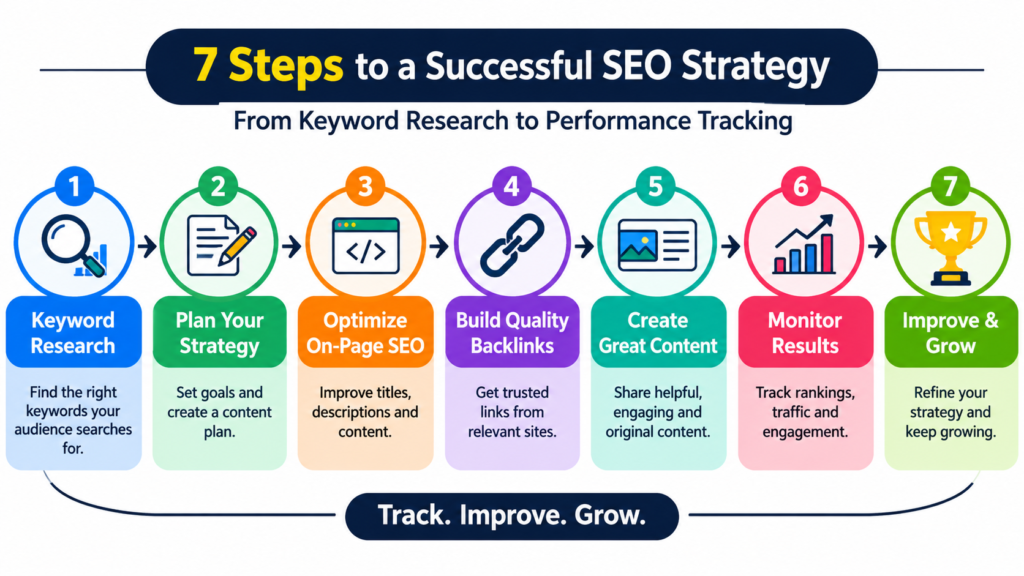
My Process Using SEO Templates (7 Steps)
Below is the process I follow. I have a template, guide, or checklist for each step.
- Keyword Research Template
I start with a keyword research template. I write down my keyword, secondary keywords, long‑tail keywords, and search intent. Search intent is really important because it tells you how to structure the page and what CTA to use. I always include this.
- Link-Building Checklist
Once I have my keywords, I look at the pages that are ranking. I examine their content structure and keywords. Also see what gaps they have. These gaps are often where my best opportunities lie.
- Content Planning Guide
Before I write any content, I plan out what I am going to write. I include the topic, headings, meta title, meta description, and content outline. This keeps my content focused.
- On‑page SEO Checklist
I include all my title tags, headings, image alt text, URLs, internal links, and keywords. This is the checklist that would have helped me in the example above.
- Seo Checklist
I include mobile friendliness, page speed, indexing, broken links, and overall site structure. Even if your content is amazing, if search engines cannot crawl your page, it will not help.
- Off‑page SEO Tracker
I track all my backlink opportunities, guest posts, and other ways to increase my authority. Without a tracker, this can get very messy.
Best Practices for Using SEO Guides and Checklists
- SEO Tracking Sheet
How SEO Templates Help Streamline Your SEO Strategy
erformance of my website. This helps me know what to update
Mistakes Newbies Make With SEO Templates
Newbies often struggle with keyword research and on‑page SEO.
Keyword Research Mistakes:
- Choosing keywords based on search volume.
- Ignoring search intent.
- Selecting very competitive keywords that do not fit the content or audience.
On‑page SEO Mistakes:
- Over‑focusing on keywords.
- Forgetting title tags, meta descriptions, headings, and internal links.
- Publishing content that is not helpful.
The important point is that content should help people. Google has rules for this. They say that content must be written for humans, not for search engines. SEO is about making content that users and search engines can understand easily.
Why SEO Templates, Guides, and Checklists Are Important
Checking Website Speed and Mobile Usability.
If you use the template for every website, SEO templates can let you down. Each website has search intent, competition, and business goals. For example, a local service business, an online shop, and a personal blog are all different. A checklist may also miss something a different person needs.
Also, no template can guarantee improvement in rankings and traffic. It depends on how good your content’s how competitive your field is and how search engines treat your site. Use SEO templates to stay organised, then adjust them based on results.
How To Create Your SEO Templates
You do not need to start from scratch, but you should personalise SEO templates. Below is a method to create your own.
List the tasks you often perform. Write down everything you do for each project.
Categorise those tasks. Separate them into research, planning, on-page technical, off-page, and tracking.
Add notes. Write explanations for why each task is important. This helps you understand why you are doing it.
Place the template on one page. Fix any gaps you find, then apply it to all projects.
Review the template after every project. freelance digital marketer in pathanamthittaUpdate it as search best practices change.
On-Page SEO Package
SEO Title (56 characters): SEO Templates, Guides & Checklists for a Faster Workflow
Meta Description (153 characters): Use SEO templates, guides, and checklists to organize your workflow, avoid missed steps, and build a consistent SEO strategy. Get my 7-step system today.
URL Slug: /seo-templates-guides-checklists
Internal Link Opportunities (add your own URLs):
- Anchor “keyword research” → your keyword research or search intent post
- Anchor “off-page SEO” → your off-page SEO article
- Anchor “technical SEO” → your technical SEO guide or services page
Authoritative External References (do-follow):
- Google SEO Starter Guide (use when mentioning SEO guides in the comparison table)
- Creating helpful, reliable, people-first content (already linked in the mistakes section)
- Google’s meta description guidance (link from step 3 or step 4)
Suggested Image Placements, Prompts, and Alt Text:
- After the intro: A clean flat-style illustration of a desk with a laptop showing a checklist, a spreadsheet, and a notebook. Alt text: “SEO templates and checklists laid out on a desk for planning a strategy”
- Under the 7-step workflow: An infographic showing seven connected steps from keyword research to performance tracking. Alt text: “7-step workflow using SEO templates from keyword research to tracking”
- Under the comparison table: A simple three-column graphic labeled Templates, Guides, Checklists with small icons. Alt text: “Difference between SEO templates, SEO guides, and SEO checklists”
How to Build Your Own SEO Templates
You do not need to start from scratch, but you should customize whatever you download. Here is a simple way to build your own:
- List your recurring tasks. Write down everything you do on each project.
- Group tasks by stage. Research, planning, on-page, technical, off-page, and tracking work well.
- Add a “why this matters” note. Understanding each step prevents blind box-ticking.
- Test it on one page. Fix the gaps you find before using it everywhere.
- Review after every project. Update it as search practices change.
ConclusionFrequently Asked Questions
What are SEO templates?
SEO templates are ready-made documents or sheets that help you plan and repeat common SEO tasks, such as keyword research, content briefs, and performance tracking.
Are SEO checklists enough to rank a page?
No. A checklist helps you avoid missed steps, but rankings depend on content quality, competition, and many other factors.
How many SEO templates do I need?
Start small. A keyword research template and an on-page SEO checklist cover the most common mistakes. Add the others as your projects grow.
Should beginners use free SEO templates?
Yes, as a starting point. Just adapt them to your website, audience, and goals instead of following them blindly.
- Start with a reliable checklist and understand why each step matters.
- Choose keywords by search intent, not volume alone.
- Customize every template to the website in front of you.
- Track real performance and refine your SEO templates over time.
- Conclusion
- SEO templates, guides, and checklists will not do the thinking for you, but they make sure good thinking does not get lost in the details. Use a guide to learn, a template to plan, and a checklist to verify.
- Here are the key takeaways:
- Start with a reliable checklist and understand why each step matters.
- Choose keywords by search intent, not volume alone.
- Customize every template to the website in front of you.
- Track real performance and refine your SEO templates
- SEO Templates, Guides, and Checklists: What Is the Difference?
- People often use these terms as if they mean the same thing. They do not. Each one does a different job.
Conclusion
SEO templates, guides, and checklists will not do the thinking for you, but they make sure good thinking does not get lost in the details. Use a guide to learn, a template to plan, and a checklist to verify.
Here are the key takeaways:
- Start with a reliable checklist and understand why each step matters.
- Choose keywords by search intent, not volume alone.
- Customize every template to the website in front of you.
- Track real performance and refine your SEO templates over time.